




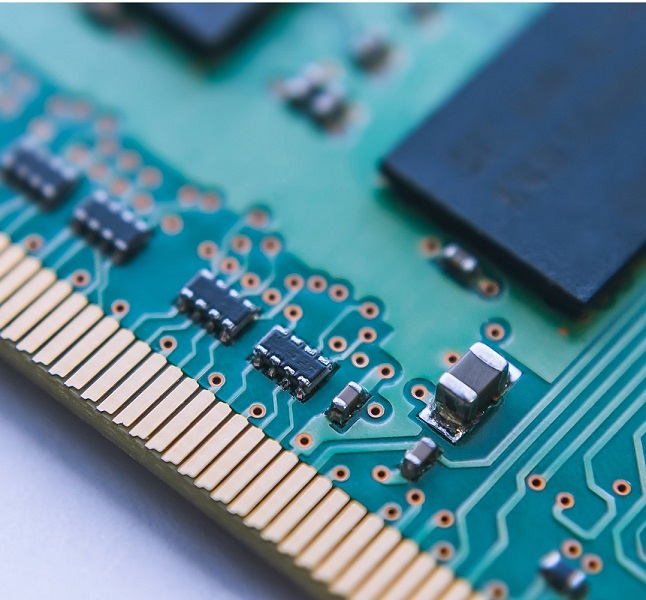




The PCIe test card enables the testing of Gen 4, Gen3, Gen2 and Gen 1 slots.
Volume discounts on request!
€1,749.00 Net
€2,081.31 incl. VAT
Shipping country
Customer Group
Währung
Delivery time: 1 week
.jpg)
.jpg)
.jpg)
.jpg)
.jpg)
.jpg)
Product configuration
Customize your product!
Click on a category below to view available options.

Description
The PassMark PCIe Gen4 test card is a powerful diagnostic tool for testing and analysing PCI Express Gen4 slots. It supports checking whether PCIe slots are functioning correctly and delivering the expected speeds, especially in x4 slots.
In addition, the card can be used with an included JTAG programmer for firmware updates and supports the parallel use of multiple test cards for simultaneous tests in different PCIe slots.
Features
- Compatibility: Supports PCIe Gen4 (16 Gbit/s per lane), Gen3 (8 Gbit/s per lane), Gen2 (5 Gbit/s per lane) and Gen1 (2.5 Gbit/s per lane). However, it can only be used in x4 slots; an adapter is required for x1 slots.
- Maximum speed: The card offers a maximum bandwidth of 7,000 MB/s in x4 slots.
LED indicators: Four LEDs indicate the operating status (link UP, I/O error, 12V PCIe, debugging). - Test modes: Supports loopback tests, in which data packets are tested for reliability, as well as benchmark tests to measure the maximum data transfer rate.
- Advanced Error Reporting (AER): Captures and reports detailed errors such as data protocol or receiver errors that are either correctable or uncorrectable.
- Compatibility with Windows: Requires PCIeGen4Test software compatible with Windows 7, 8, 10 and 11 (64-bit only).

Benchmark: Data transmission
- check whether data can be sent and received from the port
- check PCIe error rates and transfer speed (16 Gbit/s per lane, up to 7000 MBps when using x4 Edge) in Windows
- Benchmark the PCIe slots of your PC
- check if your PCIe slots are Gen4 16Gb/s Gen3 8Gb/s or 5Gb/s or 2.5Gb/s
- Suitable for the x4 PCIe slot. An adapter is required for x1 (not included).

Stress tests
- check whether the system remains stable under prolonged load
- Simultaneous testing of multiple PCIe slots

Measure data transfer
monitor the physical and link layer errors during the stress test
Reported errors include
- Poisoned TLP (Uncorrectable)
- Malformed TLP (Uncorrectable)
- Bad TLP (Correctable)
- Bad DLLP (Correctable)
- Flow Control Protocol Error (Uncorrectable)
- Replay Timer Timeout (Correctable)
F.A.Q.
PCIe Gen4.0 is typically rated at 16 Gbps per lane, but data rates on a real device will never reach these speeds due to several factors. These include the overhead of bit coding, Transaction Layer Packet (TLP) and Data Link Layer Packet (DLLP) communication and Physical Layer Packet (PLP) management. These protocols and coding mechanisms consume signal bandwidth and thus reduce the effective throughput available for data transmission. Furthermore, the practical throughput is further affected by additional latencies at system level. These can include operating system overhead, interrupt processing delays and other software-related factors that affect the overall efficiency of data transmission beyond the protocol overhead at hardware level.
The PCIe test card has a x4 edge. To enable x1 edge connections, an adapter is required to switch from x4 to x1 edge compatibility. This adapter is not included in the scope of delivery and must be purchased separately.
The PCIe test card can be tested in PCIe slots of any generation. The PCIe test card works at speeds of up to Gen4.0 (16 Gbit/s per lane). The capabilities of a PCIe connection depend on the highest speed capabilities that the endpoint and host can agree on. If the PCIe test card is inserted into a Gen4.0 slot, it will operate at Gen4.0. If it is inserted into a Gen3.0 slot, it will be limited to Gen3.0 by the card. If it is inserted into a Gen2.0 slot, it will be limited to Gen2.0 by the slot. If it is inserted into a Gen1.0 slot, it is limited to Gen1.0 by the slot.
Windows 8, 10, 11 and 2008 Server (64 bit). Linux is not supported.
A device driver is required for Windows. Windows requests the device driver the first time a card is used.
Yes, you can see the devices in the Windows Device Manager. They appear with the label "Passmark PCIe Gen4 Test Card".
LED1:Link UP=PCIe connection has been successfully established and is fully functional LED2:I/O Error=This LED lights up when an error occurs on the PCIe connection PWR:12V PCIe=This LED lights up to indicate that 12V power is present at the PCIe slot DONE=This LED is used for debugging purposes and remains off during the test
Yes, you can run multiple instances of the PCIeGen4Test application at the same time. However, you must ensure that you have opened them all and configured them to use the correct PCIe cards before you start the first test.
No external adapter or ATX connector is required for testing. However, if you suspect an error due to an incorrect power supply via the 12 V PCIe slot, you can use an external adapter or connect the 6-pin ATX connector from the power supply. Please note that the adapter is not included in the scope of delivery. So if you decide to use an external adapter, make sure that it is of good quality and has the correct polarity (earth outside and +12 V inside).
Packet DMA transfers are used.
Yes, but you need the Vivado Lab Edition to update the firmware on the card. Otherwise, you can return your PCIe test card to us for an upgrade.
Yes, you can test M.2 slots, but you will need an M.2 to PCIe adapter (see image below), which is not currently included. These adapters normally require an external power supply, which is provided via a SATA power cable. Make sure the adapter is of good quality and supports Gen 4 speeds for best performance. Please note that due to space limitations on some motherboards, it may not be possible to test some M.2 slots. Once the adapter is installed, there should be enough space to insert the card into the adapter.
Technical Data
| Model |  PM146 |
|---|---|
| PCIe Standard | Gen 4, Gen3, Gen2 and Gen 1 (also compatible with Gen 5, runs at Gen4 speed) |
| Physical connector | x4 PCIe edge connector (can be used with a x4 to x1 adapter to x1) |
| Maximum speed | 16 Gbps per lane (raw bit rate) |
| Max. Data rate | 7000 MB/s (effective data rate) when plugged into an x4 PCIe slot; the speed is reduced to 1750 MB/s when connected via an x4 to x1 adapter for testing x1 PCIe slots. |
| Test modes | Loopback: Data packets are looped for reliability testing. Benchmark: 3x DMA engines send/receive data to the card to measure the maximum achievable speed. |
| PCIe transfer mode | DMA - Direct Memory Access |
| Indicators | LED1: Link UP, LED2: I/O error, PWR: 12 V PCIe |
| Advanced error reporting and data integrity | The card features Advanced Error Reporting (AER), including detailed logging of read/write errors and low-level bus errors. In loopback mode, it checks data integrity and alerts the user to any discrepancies between read and write operations. |
| Dimensions | Height: 5.12 inches (13 cm) Thickness (±5%): 1.06 inches (2.7 cm) Length: 7.99 inches (20.3 cm) |
| Weight: 190g | 190g |
| Storage temperature | -25°C to +60°C |
| Operating temperature | 0°C to +45°C |
| Air humidity | 10 % to 90 % non-condensing |
| RoHS (lead-free) | Yes |
Documentation
Supplementary products


